

Table of Contents
Understanding the precise difference between magnification and resolution is critical for achieving sharp microscope images. Magnification simply increases the size of an object, while resolution determines the clarity of its finest details. This guide explains how these two optical forces interact.
What Is Magnification?
Magnification is the most easily recognized specification on any optical instrument. It dictates how much larger a microscopic specimen appears compared to viewing it with the naked eye.
How Magnification Works
At its core, magnification is simply optical scaling. The curved glass of a lens bends the light bouncing off or passing through a specimen, spreading that light over a wider area before it hits your eye or a digital camera sensor. This optical trick makes a tiny structure appear physically larger.
How Microscope Magnification Is Calculated
In a standard compound microscope, calculating total magnification is a simple mathematical equation. You multiply the magnification power of the objective lens (the lens closest to the specimen) by the power of the eyepiece (the lens you look through). If you are using a 40x objective lens and a standard 10x eyepiece, your total magnification is 400x.

What Is Resolution?
While making an image larger is important, it is entirely useless without clarity. Resolution is the true measure of optical quality, defining the absolute physical limits of the microscope's detail.
What Resolution Means in Microscopy
Resolution (also known as resolving power) is the ability to distinguish two distinct, closely spaced points as separate objects. If a microscope has poor resolution, two tiny bacterial cells sitting next to each other will blur together and look like one large, undefined blob. If the resolution is high, a crisp, clear gap will be visible between the two cells.
What Affects Microscope Resolution
Resolution is governed by two strict physical factors: the wavelength of light illuminating the specimen and the Numerical Aperture (NA) of the objective lens. Shorter light wavelengths (like blue light) and higher NA values capture more diffracted light rays, significantly increasing the amount of physical detail transmitted through the optical tube.
Magnification vs Resolution
|
Feature |
Magnification |
Resolution |
|
Main purpose |
Makes objects appear larger |
Reveals fine detail |
|
What changes |
Image size |
Visible detail |
|
Higher is always better |
No |
Better resolution is generally useful |
|
Common problem |
Empty magnification |
Fine structures appear merged |
How Magnification and Resolution Work Together
To achieve a crisp image, magnification and resolution must remain in perfect balance. Pushing one optical factor without the other leads to severe image degradation.
Useful Magnification
Useful magnification is the "sweet spot" where zooming in actually reveals new, real structural details about your specimen. In optical physics, the limit of useful magnification is generally considered to be 1000 times the Numerical Aperture of the objective lens. Up to this point, making the image larger makes it easier to see the fine details the lens is resolving.
Empty Magnification
If you push magnification beyond the lens's resolving power, you hit empty magnification. The image continues to get physically larger, but absolutely no new details are revealed. The result is a highly magnified, blurry, pixelated mess. It is the exact same effect as taking a low-resolution smartphone photo and zooming in on it endlessly; the picture gets bigger, but the clarity gets worse.
How to Get Clearer Microscope Images
Maximizing your current optical setup requires precise mechanical and environmental adjustments. Simple changes to your workflow can drastically improve image sharpness.
Start With Lower Magnification
Always begin your observation with the lowest power objective (typically 4x). Lower magnification provides a wider field of view and a deeper focal plane, making it much easier to find your specimen and lock in the sharpest possible image before you attempt to zoom in.
Refocus After Changing Objectives
Every time you rotate the nosepiece to a higher magnification, the focal distance shrinks. You must meticulously re-establish your optical clarity. When using high-power objectives, only use the fine focus knob. Turning the coarse focus knob will blur the image past the focal point and risks crushing the glass slide.
Improve Lighting and Lens Condition
Resolution relies entirely on light. Ensure your condenser is positioned correctly and adjust the iris diaphragm to balance brightness and contrast. Additionally, dust and oil on your objective lenses scatter light and destroy resolution. Clean your optics regularly with dedicated lens paper and cleaning solutions.
Avoid Unnecessary Digital Zoom
Digital zoom simply takes the existing pixels captured by the sensor and stretches them over a larger area. It adds absolutely zero physical resolution to the image. Rely entirely on the optical magnification provided by the physical glass lenses for true clarity.
How to Choose the Right Microscope
Purchasing optical equipment requires looking past the marketing numbers printed on the box. Focusing on core optical specifications ensures your instrument meets your practical observation needs.
Look Beyond Maximum Magnification
Many budget microscopes advertise staggering numbers like "5000x magnification." Without the high-end optics required to resolve an image at that scale, these numbers guarantee nothing but empty magnification. Focus on the quality of the objective lenses rather than the highest possible zoom multiplier.
Check Numerical Aperture and Optical Quality
The Numerical Aperture (NA) is printed directly on the barrel of the objective lens. Look for lenses with high NA ratings. Additionally, prioritize microscopes equipped with achromatic or plan-achromatic lenses, which correct color fringing and ensure the image is perfectly flat and sharp from the center all the way to the edges.
Match the Microscope to the Specimen

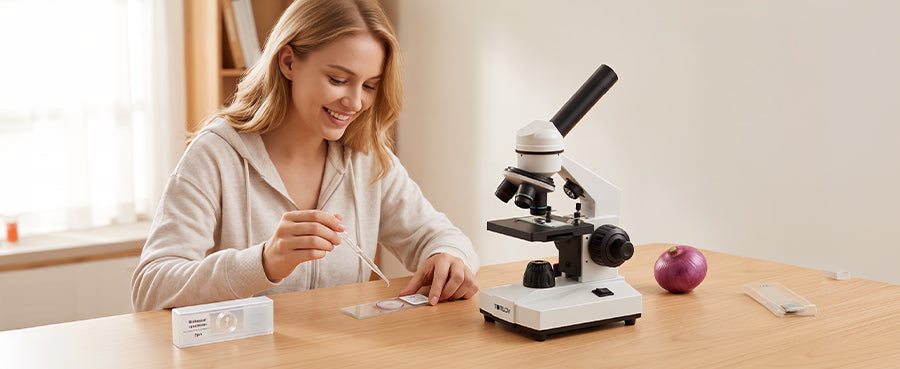
Choose a microscope designed for the physical size of what you want to observe. Biological slides require transmitted light, while opaque objects like coins require top-down illumination. For students needing precise optical balance for transparent biological slides, models like Tomlov fine-focus microscope provide the necessary high-NA objectives and dual-focus mechanisms required to achieve clear resolution at high magnifications without succumbing to empty magnification.
FAQs About Magnification and Resolution
Does resolution improve with magnification?
No. Resolution is dictated purely by the numerical aperture of the objective lens and the wavelength of light illuminating the specimen. Increasing the magnification does not increase the physical resolving power of the microscope; it only makes the resolved image larger.
What is the best resolution for a microscope?
For a standard optical light microscope, the absolute physical limit of resolution is approximately 0.2 micrometers (200 nanometers). To resolve structures smaller than this limit—such as individual viruses or proteins—scientists must use electron microscopes.
What increases the resolution of a microscope?
You can increase resolution by switching to an objective lens with a higher Numerical Aperture (NA), utilizing a shorter wavelength of light (such as blue light or ultraviolet), or using immersion oil between the lens and the slide to prevent light rays from bending and scattering.
What Is the Difference Between Resolution and Focus?
Resolution is the fixed physical capability of the lens to capture detail based on light mechanics. Focus is the physical mechanical adjustment of the microscope stage height to align the specimen perfectly within the optical focal plane of the lens.
Does Digital Zoom Increase Microscope Resolution?
Absolutely not. Digital zoom artificially enlarges the existing pixels captured by the digital camera sensor. It creates zero new structural information and almost always degrades the visible clarity of the final image.
Conclusions
Magnification scales the image, while resolution clarifies it. Understanding the critical difference between the two helps you avoid the frustrating trap of empty magnification. By correctly balancing your lighting, maintaining your optics, and prioritizing high-resolution lenses over extreme zoom numbers, you ensure that every microscopic observation yields crisp, scientifically useful, and beautiful results.


Commenta
Nota che i commenti devono essere approvati prima di essere pubblicati.
Questo sito è protetto da hCaptcha e applica le Norme sulla privacy e i Termini di servizio di hCaptcha.