

Table of Contents
Choosing a digital microscope can feel complicated once you compare specs and compatibility. Teachers need ease of use, coordinators need durability, and IT teams need reliable software. This guide gives you simple recommendations and a clear way to choose the right model for your classroom.
How To Choose The Best Digital Microscope For Educational Use In 2026
Understand What Image Quality Actually Means
Most buyers focus on megapixels, but true quality comes from the combination of sensor resolution, lens quality, and lighting. For classrooms, prioritize:
-
5MP–12MP sensors (sharp enough for projection and student reports)
-
Adjustable LED illumination to reduce glare on reflective surfaces
-
Glass lenses for better clarity and longevity compared to plastic
Practical classroom tip: request real sample images from the manufacturer or reseller. They tell you far more than spec sheets.
Select A Microscope That Fits Your Teaching Environment
Different subjects and grade levels require different viewing capabilities:
-
Elementary STEM programs: prefer easy-to-use handheld or low-magnification microscopes.
-
Middle and high school biology: benefit from higher-magnification compound-style digital microscopes that can capture cell structures.
-
Earth science or maker programs: need larger working distances to observe rocks, insects, or 3D printed parts.
Actionable rule: choose compound microscopes for slides and stereo/low-magnification microscopes for 3D objects. Many classrooms need one of each for a complete setup.

Ensure Compatibility With Classroom Devices
In 2025, most educational environments rely heavily on Chromebooks, iPads, or Windows laptops. Before buying, check:
-
USB vs HDMI vs Wi-Fi connectivity
-
Driver-free operation for Chromebooks
-
App availability for iPads and tablets
-
Screen-sharing support for projecting to TVs or interactive boards
If your school uses managed Chromebooks or iPads, prioritize microscopes with browser-based viewers—they eliminate installation issues entirely.
Choose Durable Equipment Built For School Use
Digital microscopes in classrooms face accidental drops, rough handling, dust, and spills. Look for:
-
Metal stands instead of plastic
-
Replaceable parts (LEDs, cables, stands)
-
Two-year or longer warranties
-
Anti-slip bases for shared desks
-
Simple knobs and large focus wheels for younger students
For K–12 districts, durability matters as much as resolution.
Prioritize Teaching Features That Improve Workflow
The best digital microscopes make class time smoother, not more complicated. Useful teaching features include:
-
One-click photo and video capture
-
Annotation tools for labeling structures
-
Easy export to Google Classroom, Drive, or LMS
-
Live projection mode for demonstrations
-
Measurement tools for labs and assessments
These features reduce prep time and help students produce better lab reports.
Best Digital Microscope Categories For Schools
Best Overall Classroom Microscopes
These models balance image quality, ease-of-use, and compatibility. They typically include HDMI/USB dual output, built-in screens, and intuitive controls—ideal for whole-class demonstrations and daily use.
Best Budget Microscopes For Large Classrooms
Schools buying 20–40 units need cost-effective options that still deliver good clarity. Focus on stable stands, moderate resolution, and plug-and-play USB connectivity so each student pair can use one without training.
Best Microscope For High School Biology
These units offer higher magnification (400×–1000×), fine focus, and stronger illumination for observing cell structures. They are suitable for labs that require accurate imaging and report-ready documentation.
Best Portable Microscopes For Field Use
Handheld digital microscopes help support outdoor STEM learning, nature observation, and club activities. Look for Wi-Fi or Bluetooth models that connect to student devices quickly and work on battery power.
Best Microscopes For Makerspaces And 3D Objects
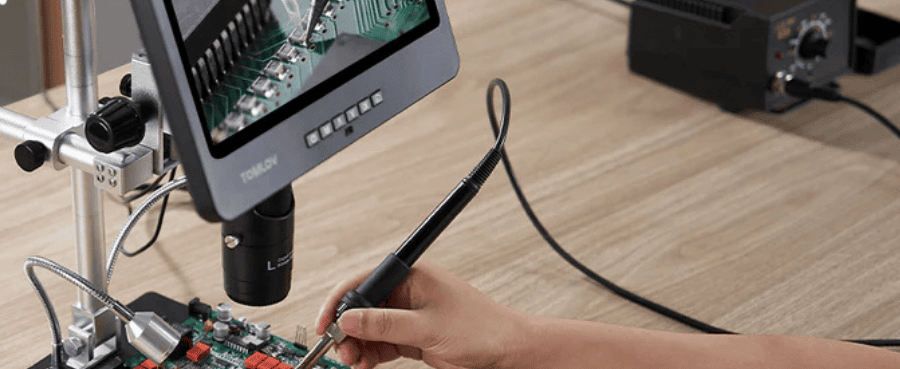
STEM labs and robotics programs need large working distances to view circuit boards, insects, mineral samples, or 3D printed components. Wide-angle lenses and adjustable stands make these models ideal for project-based learning.

Classroom Buying Guide: What Schools Should Consider
Match Features To Your Curriculum Needs
Instead of chasing the highest resolution, identify the tasks you need to accomplish:
-
Observation & description → stable low magnification
-
Cell structure identification → higher magnification, compound lens
-
Group demonstrations → HDMI or built-in display
-
STEM projects → wide working distance
Curriculum alignment ensures you don’t overspend or underbuy.
Plan Device Ecosystem Compatibility Early
Ask IT:
-
Are apps allowed on student devices?
-
Do we have mixed hardware (Windows + Chromebook)?
-
Do classrooms need wireless sharing?
Choose models that minimize friction and reduce support tickets.
Choose Scalable Solutions For District Purchases
If you are buying in bulk, check if the manufacturer offers:
-
Multi-unit bundles
-
Professional development
-
Extended warranties
-
Replacement parts availability
Scalability ensures consistency across classrooms.
Related Reading: Are Digital Microscopes Worth It?
Final Thoughts
Choosing the right digital microscope for educational use in 2025 ultimately comes down to understanding your teaching environment, device ecosystem, and learning goals. Whether you need a classroom-ready HDMI model for group demonstrations, a set of budget-friendly microscopes for student pairs, or portable units for field exploration, the best choice is the one that supports your curriculum and makes hands-on science easier to teach. By prioritizing image quality, durability, compatibility, and workflow-friendly features, schools can invest in tools that enhance engagement, streamline lessons, and deliver reliable performance for years to come.
Frequently Asked Questions
1. What accessories should schools buy along with digital microscopes?
Useful add-ons include prepared slide kits, calibration rulers, dust covers, extra LED modules, and spare USB/HDMI cables. These small items help extend equipment life and support a wider range of lessons.
2. What type of maintenance do digital microscopes require in schools?
Routine care is simple: wipe lenses with microfiber cloths, keep dust caps on when not in use, check LED brightness, and ensure stands remain tight and stable. Annual checks are usually enough for maintaining longevity.
3. How well do digital microscopes perform under bright classroom lighting?
They generally perform well, but image clarity improves when models include adjustable LED brightness and diffusers to reduce glare. For classrooms with strong overhead lighting, microscopes with shadow-free ring lights provide more consistent results.


Dejar un comentario
Todos los comentarios se revisan antes de su publicación.
Este sitio está protegido por hCaptcha y se aplican la Política de privacidad de hCaptcha y los Términos del servicio.