
Table of Contents
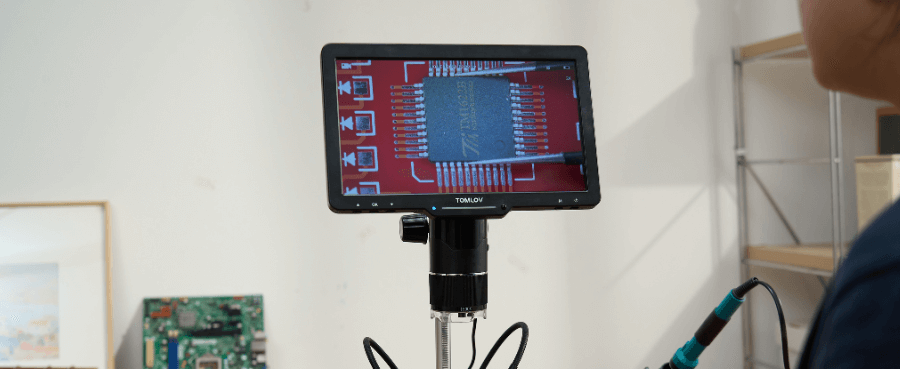
Many users experience eye strain when using a digital microscope, but the issue is rarely the microscope itself. In most cases, discomfort comes from screen positioning, brightness, magnification habits, and overall setup. This guide breaks down the most common causes and shows how a few simple adjustments can make digital microscopy comfortable, even during long work sessions.
WHY DIGITAL MICROSCOPES CAN FEEL HARD ON YOUR EYES
Many people switch to a digital microscope expecting more comfort, not less. Then after 20 or 30 minutes, their eyes feel tired, dry, or sore.
That discomfort usually does not mean something is wrong with your eyes—or that digital microscopes are a bad choice. It means your eyes are reacting to how the image is being displayed and how your workspace is set up.
Understanding why this happens is the first step to fixing it.
SCREEN VIEWING TIRES YOUR EYES FASTER THAN YOU EXPECT
A digital microscope turns close-up work into screen time.
Instead of looking through eyepieces, your eyes are now:
-
Staring at a bright display
-
Tracking fine movement on a screen
-
Staying focused at one fixed distance
This is similar to laptop or phone eye strain, but magnification makes the effect stronger. Small details demand more attention, and your eyes fatigue sooner.
IMAGE LAG AND CHOPPY MOTION ADD EXTRA STRAIN
If the image does not move smoothly as your hands move, your eyes work overtime.
Even slight lag can cause:
-
Subtle dizziness or headaches
-
A constant feeling of visual tension
-
Faster fatigue during soldering or inspection
This is common with lower frame rates or USB connections that struggle to keep up.
TOO MUCH DIGITAL ZOOM MAKES YOUR EYES WORK HARDER
Digital zoom looks helpful, but it often does more harm than good.
When you zoom digitally:
-
The image gets bigger, but not sharper
-
Edges soften and details blur
-
Your eyes keep trying to “find” clarity that is not there
Your eyes prefer a smaller but crisp image over a large, fuzzy one.

COMMON SETUP MISTAKES THAT LEAD TO EYE STRAIN
Most eye strain issues come from setup choices people do not even realize they are making.
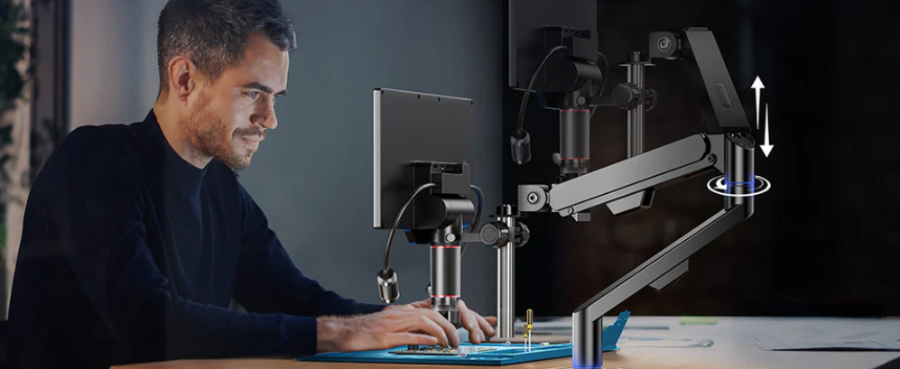
SCREEN POSITION IS USUALLY THE BIGGEST PROBLEM
Many users place the screen wherever it fits, not where it feels best.
Common issues include:
-
Screen too close to the face
-
Screen too high, forcing you to look up
-
Screen angled awkwardly, adding neck tension
A better setup:
-
Screen about arm’s length away
-
Screen slightly below eye level
-
Screen facing you straight on
When your neck relaxes, your eyes usually follow.
BRIGHTNESS AND CONTRAST ARE SET TOO HIGH BY DEFAULT
Factory settings favor visibility, not comfort.
Too much brightness can:
-
Dry out your eyes quickly
-
Cause glare and reflections
-
Make long sessions exhausting
Low contrast makes your eyes hunt for edges and detail.
Lower the brightness until white areas feel comfortable, then increase contrast just enough to define details clearly.
POOR WORKING HEIGHT CREATES INVISIBLE FATIGUE
If your microscope is too low or too high, your posture suffers.
That leads to:
-
Forward head tilt
-
Shoulder tension
-
Faster eye fatigue, even if the image looks fine
Eye strain often starts in the neck and shoulders before you feel it in your eyes.
SIMPLE SETUP CHANGES THAT MAKE A REAL DIFFERENCE
You do not need a new microscope to improve comfort. Small adjustments often have the biggest impact.
TUNE YOUR SCREEN FOR COMFORT, NOT MAXIMUM DETAIL
Start here:
-
Reduce brightness until it feels easy on your eyes
-
Slightly boost contrast for cleaner edges
-
Avoid overly sharp or vivid color modes
If your monitor has a warm or neutral mode, use it. Comfort matters more than punchy colors.
USE OPTICAL MAGNIFICATION FIRST
Whenever possible:
-
Raise optical magnification
-
Use digital zoom only as a minor adjustment
This keeps the image sharp and reduces the effort your eyes need to stay focused.
STABILIZE THE IMAGE AS MUCH AS POSSIBLE
A shaky image quietly wears you down.
Improve stability by:
-
Using a solid stand
-
Avoiding flexible or lightweight arms
-
Working on a sturdy surface
A stable image feels calmer—and calmer images are easier on the eyes.
BUILD IN SHORT VISUAL BREAKS
Even with a perfect setup, your eyes need breaks.
A simple habit that works:
-
Every 20–30 minutes, look away from the screen
-
Focus on something far away for 20 seconds
-
Blink a few times to reset eye moisture
This alone can double how long you work comfortably.
Related Reading: How To Use A Digital Microscope

WHEN EYE STRAIN IS A SIGN OF EQUIPMENT LIMITS
Sometimes setup helps, but only up to a point.
USB DELAY AND SMALL SCREENS HAVE REAL LIMITS
If you still experience:
-
Noticeable lag
-
Choppy motion
-
Difficulty focusing during live work
The bottleneck may be:
-
USB bandwidth
-
Screen size
-
Frame rate limits
At that stage, comfort improvements come from better display and smoother motion—not more zoom.
LONG WORK SESSIONS NEED ERGONOMIC PRIORITY
If you use a digital microscope for hours at a time, comfort is no longer optional.
Users who work longer sessions often benefit from:
-
Larger external monitors
-
Adjustable stands
-
Smoother video output
Eye comfort directly affects accuracy and productivity.
FINAL THOUGHTS
Digital microscope eye strain is common, but it is usually a setup issue, not a flaw in the microscope or your eyes. With the right screen position, brightness, magnification balance, and posture, comfort improves quickly. Small adjustments can make long sessions easier, clearer, and far less tiring, allowing you to focus on your work instead of fighting visual fatigue.

Leave a comment
All comments are moderated before being published.
This site is protected by hCaptcha and the hCaptcha Privacy Policy and Terms of Service apply.