

Table of Contents
For many beginners, the base is the most overlooked part of the microscope—until the image starts wobbling, the light begins to flicker, or you realize you aren’t quite sure how to move the instrument safely.
In this guide, you’ll learn the real-world functions of the microscope base, including how it serves as the "engine room" for your optics and why it is critical for a sharp focus. You’ll also find practical troubleshooting tips and a buyer’s checklist to help you choose a high-quality instrument that lasts for years.
Core Functions Of The Microscope Base
The base is far more than just a heavy piece of metal; it is a sophisticated foundation designed to protect your delicate lenses.
Providing Stability And Vibration Dampening
The base is typically the heaviest part of the microscope, often made of zinc or aluminum alloys to lower the center of gravity. This prevents the top-heavy arm and head from tipping over.
- The Anti-Shake Effect: At high magnifications (like 400x or 1000x), even a tiny tremor from a nearby footstep can make the specimen "jump" out of view. A dense base absorbs these micro-vibrations.
Housing The Illuminator And Electronics
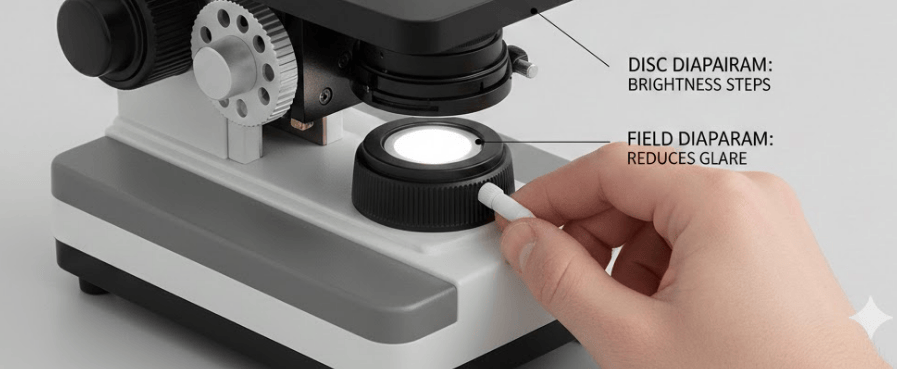
In modern compound microscopes, the base acts as the internal power hub. It houses the light source (LED or halogen bulb), wiring, and transformer.
- Optimal Light Path: By placing the light at the very bottom, it can be precisely positioned to shine upward through the condenser and stage.
- Thermal Protection: Keeping the electronics in the base keeps the heat away from the user’s eyes and prevents the lenses from expanding due to temperature changes.
Serving As The Structural Anchor
The base is the anchor point for the arm. Because the arm supports the entire optical path, any warping or damage to the base can cause the lenses to become misaligned. If the base isn't true, you will never achieve a perfectly sharp focus across the entire field of view.

Different Microscope Types, Different Foundations
| Microscope Type | Base Design | Core Function | Light Location |
|---|---|---|---|
| Compound | Heavy, Fixed Hub | Precision Alignment | Built-in (Bottom) |
| Stereo | Wide Work Platform | Sample Manipulation | Dual (Top & Bottom) |
| Digital | Modular Pillar/Boom | Position Flexibility | Integrated in Head |
| Inverted | Massive Foundation | Supporting Heavy Gear | External (Top) |
- Compound Bases are built for stability on a lab bench with a fixed vertical light path.
- Stereo Bases often feature removable stage plates (black/white/glass) to provide a flat workspace for dissecting or soldering.
- Modern usb microscope digital bases often use a "Boom Stand"—a weighted steel block with a horizontal arm—allowing the camera to hover over large objects like engine parts.
- Inverted Bases are the largest and heaviest, as they must support complex incubation chambers and motorized stages without moving a single micron.
Tomlov.com is a professional provider of innovative digital imaging solutions, specializing in high-performance digital microscopes designed for electronics repair, coin collecting, and scientific education.
Related Reading:What's The Difference Between Digital And USB Microscopes?
Proper Handling And Safety Techniques
Most mechanical damage occurs during transport, not use. Learning how to interact with the base is the best way to protect your investment.
Mastering The Two-Handed Carry Method
The "Two-Handed Carry" is the gold standard of lab etiquette.
- The Logic: Even if the arm has a handle, a one-handed carry puts "cantilevered" stress on the screws connecting the arm to the base. This can lead to "frame lean" over time.
- The Technique: Firmly grasp the Arm with your dominant hand and place your other hand flat and secure directly under the Base. Keep it close to your chest.
Pre-Transport Safety Checklist
- Cool Down: If using halogen bulbs, wait 3–5 minutes. Moving a hot bulb can snap the filament.
- Cord Wrap: Unplug the unit and wrap the cord around the base or hangers to prevent tripping.
- Mechanical Lock: Lower the stage and tighten the head locking screw so the eyepieces don't swing out.
Troubleshooting Common Base Issues
| Problem | Likely Cause | Actionable Solution |
|---|---|---|
| Shaky Image | Unstable table or missing feet | Move to a solid surface; check if all four rubber feet are present. |
| Flickering Light | Loose connection or oxidation | Unplug and check the bulb seating; rotate the dimmer knob rapidly to clear dust. |
| Excessive Heat | Blocked ventilation | Ensure the base isn't sitting on paper or cloth that blocks air vents. |
What To Look For When Buying
When shopping, use this "Foundation First" checklist:
- Weight Test: It should feel heavy (die-cast metal). Avoid all-plastic bases.
- The Tap Test: Focus on a specimen at 400x and tap the table. A good base stops vibrating in under a second.
- Grip: Look for thick, high-friction rubber feet.
- Dimming: The brightness dial (rheostat) should turn smoothly without flickering.
Frequently Asked Questions
Q: Why is there oil on my base?
This is usually immersion oil or mechanical grease that has leaked down the arm. Clean it immediately with isopropyl alcohol to prevent it from reaching the electronics inside.
Q: Can I replace the bulb myself?
Yes. Most bases have a bottom access panel. Just ensure the unit is unplugged and cool. Don't touch new bulbs with bare fingers (use a tissue).
Q: What is an inclination joint?
Found on vintage scopes, it lets you tilt the microscope. However, modern scopes avoid this because it makes the base unstable and can cause liquid samples to spill.
Conclusion
A good microscope starts from the bottom up. By providing the stability to eliminate vibrations and the housing for your lighting system, the base is the silent partner in every discovery you make. When the base is solid, every component above it can perform at its peak. Handle it with two hands, keep the vents clear, and your microscope will remain a reliable window into the microscopic world for years to come.


Leave a comment
All comments are moderated before being published.
This site is protected by hCaptcha and the hCaptcha Privacy Policy and Terms of Service apply.