

Table of Contents
In simple terms, coarse focus moves the stage in bigger jumps to help you quickly find your specimen at low magnification—think of it as getting in the ballpark. Once the image is roughly visible, fine focus makes tiny, precise movements to sharpen details, especially at higher magnifications where the microscope is more sensitive and the risk of hitting the slide is higher.
In this guide, you’ll learn exactly when to use each knob, how they work together, and the easiest way to get a clear, crisp view every time.
|
Feature |
Coarse Adjustment Knob |
Fine Adjustment Knob |
|
Primary Role |
The "Searcher" Brings the specimen into general view. |
The "Clarifier" Sharpens the image for fine detail. |
|
Stage Movement |
Rapid & Large Visibly moves the stage centimeters at a time. |
Slow & Microscopic Moves the stage millimeters; movement is invisible to the naked eye. |
|
When to Use |
Low Power Only (Scanning 4x, Low Power 10x). |
High Power (High Dry 40x, Oil Immersion 100x). |
|
Safety Risk |
High Can crush the slide or damage the lens if used on high power. |
Low Designed for safe, minute adjustments near the slide. |
|
Best For |
Finding the object initially. |
Improving resolution and depth perception ("Optical Sectioning"). |

The Core Differences: Speed vs. Precision
While both knobs technically do the same thing—move the stage (or the nosepiece) up and down to change the focal distance—they do it at vastly different speeds. Think of it like tuning a radio: one dial finds the station, the other clears up the static.
The Coarse Adjustment Knob: The Searcher
The coarse adjustment knob is usually the larger of the two dials. Its job is to get you in the general neighborhood of focus as quickly as possible.
- How it works: One full turn of this knob moves the stage a significant distance (often measured in centimeters).
- When to use it: You should strictly use this knob only when scanning at low power (usually the 4x or 10x objective).
- Visual Cue: When you turn this knob, you can physically see the stage moving up and down with your naked eye.
The Fine Adjustment Knob: The Clarifier
The fine adjustment knob is the smaller dial (often nested inside the coarse knob on modern models). Its job is precision.
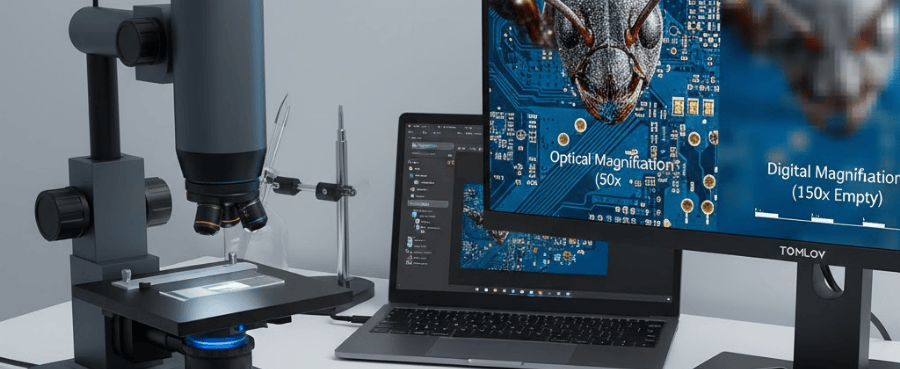
- How it works: While traditional laboratory scopes use mechanical gears, a modern Tomlov digital microscope often utilizes high-precision sensors to achieve similar levels of microscopic clarity on a digital screen..
- When to use it: This is your primary tool for high power (40x or 100x oil immersion). It brings a "soft" image into razor-sharp focus.
- The "Secret" Power: It allows for "depth perception" by focusing on different layers of a thick specimen.
The "Golden Rule" of Microscope Focusing
The biggest mistake beginners make is treating the two knobs as interchangeable options. They are not options; they are steps in a sequence. To keep your slides safe and your images sharp, you must follow the correct order of operations.
Understanding Parfocal Capability
Most modern microscopes are parfocal. This means that once an image is in focus at the lowest power, it will remain almost perfectly in focus when you switch to a higher power.
The Safe Focusing Protocol
Follow this checklist every time you load a new slide to guarantee safety and clarity.
- Start Low: Rotate the nosepiece to the lowest power objective (usually 4x or Scanning).
- Course Adjustment: Look through the eyepiece and use the Coarse Knob to bring the colored blur into a solid shape.
- Center It: Move the slide so the target is in the dead center of your view.
- Switch Up: Rotate the nosepiece to the next power (10x).
- Hands Off: Stop! Do not touch the coarse knob. The image should already be visible, just slightly blurry.
- Refine: Use only the Fine Knob to sharpen the image.
- Repeat: If you go to 40x or 100x, continue using only the Fine Knob.
Safety Warning: The "Working Distance" (the gap between the lens and the slide) on a 40x objective is often less than 1 millimeter. If you use the Coarse Knob at this magnification, you will likely ram the slide into the lens.

Troubleshooting Common Focusing Disasters
Even pros lose their focus sometimes. Here is how to recover without starting over completely.
The "Lost Image" Recovery
You switched from 10x to 40x, and the image vanished. You tried turning the fine knob, but now you see nothing but gray.
Solution:
- Do not keep turning the fine knob aimlessly; you are likely moving further away from the focal plane.
- Do not switch back to the Coarse knob while on high power.
- The Fix: Rotate the nosepiece back to 4x or 10x. Re-find the specimen using the Coarse knob. Center it perfectly. Then try switching to 40x again.
Dealing with "Jumpy" Images
Solution: At 400x or 1000x magnification, even your heartbeat can shake the microscope.
- Ensure the microscope is on a sturdy table.
- Use a "pinch" grip on the fine focus knob rather than grabbing it with your whole hand.
- Take your hands off the microscope entirely once you think you have achieved focus to let the vibrations settle.
In Conclusion
By using the coarse adjustment knob to find your specimen at low power and the fine adjustment knob to sharpen your view at high power, you protect your equipment while unlocking professional-level clarity.
Stick to the "Golden Rule" of focusing—always starting low and moving in sequence—and you’ll spend less time searching through the blur and more time exploring the hidden world on your slide.
Frequently Asked Questions (FAQ)
1. Why does my microscope only have one knob?
Some student or compact microscopes combine both functions into a single knob. Usually, the first part of the turn is coarse, and it becomes fine as you slow down, or it is strictly a coarse-focus model meant only for low-power viewing.
2. Can I use the coarse adjustment knob on 40x if I am very careful?
Ideally, no. The risk outweighs the reward. Because the depth of field is so shallow at 40x, the coarse knob moves too fast to ever find perfect focus anyway. You will likely fly right past the focal point without even seeing it.
Related reading:What’s the Difference Between 40x, 100x, and 400x Magnification?
3. Which way do I turn the knob to move the stage up?
On most microscopes, turning the knob away from you (clockwise) moves the stage up. However, you should always look at the stage from the side (not through the eyepiece) when moving it up to ensure it doesn't hit the lens.
4. Why is my fine adjustment knob turning but nothing is happening?
You may have reached the mechanical limit of the gear. Most fine knobs have a limited range. If it stops or spins freely with no result, center the fine focus range (turn it back to the middle) and re-focus using the coarse knob at low power to "reset" the distance.
5. Does the fine adjustment knob change the magnification?
No. The adjustment knobs only change the position of the stage (focus). Only changing the objective lenses (4x, 10x, 40x) changes the magnification.

Leave a comment
All comments are moderated before being published.
This site is protected by hCaptcha and the hCaptcha Privacy Policy and Terms of Service apply.